GoCharting Platform
Advanced Features Built for Every Trader
From professional charting tools and order flow analytics to live options trading — GoCharting is the most complete platform for serious traders.
Get FREE Education on Orderflow
Watch expert-led sessions, tutorials and live trading to master orderflow analysis.
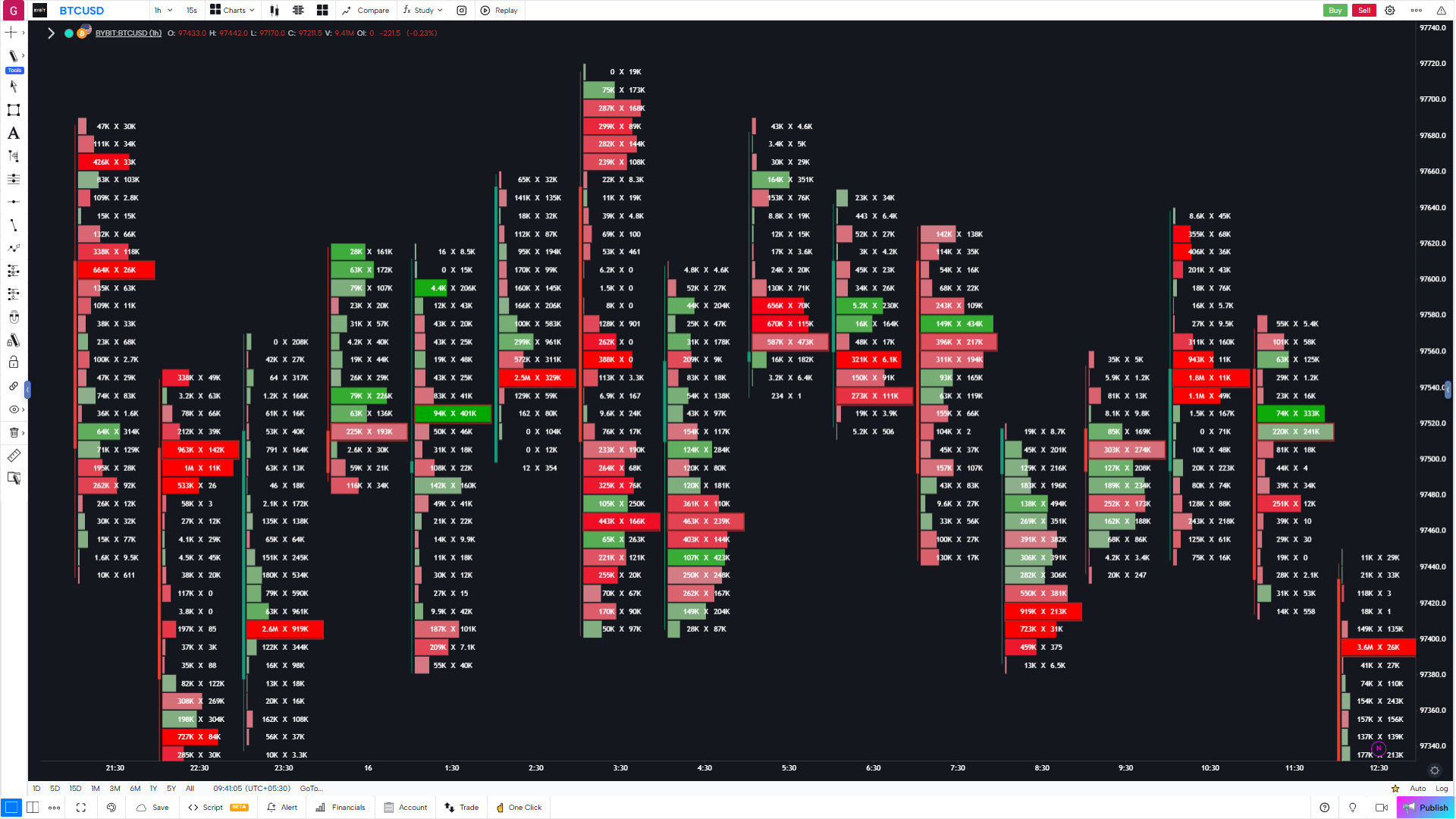
Footprint aka Cluster Charts
Gain full market insight using price, volume, time and order flow on a single chart.
- Each bar can be viewed "from the inside"
- 21+ metrics to choose from
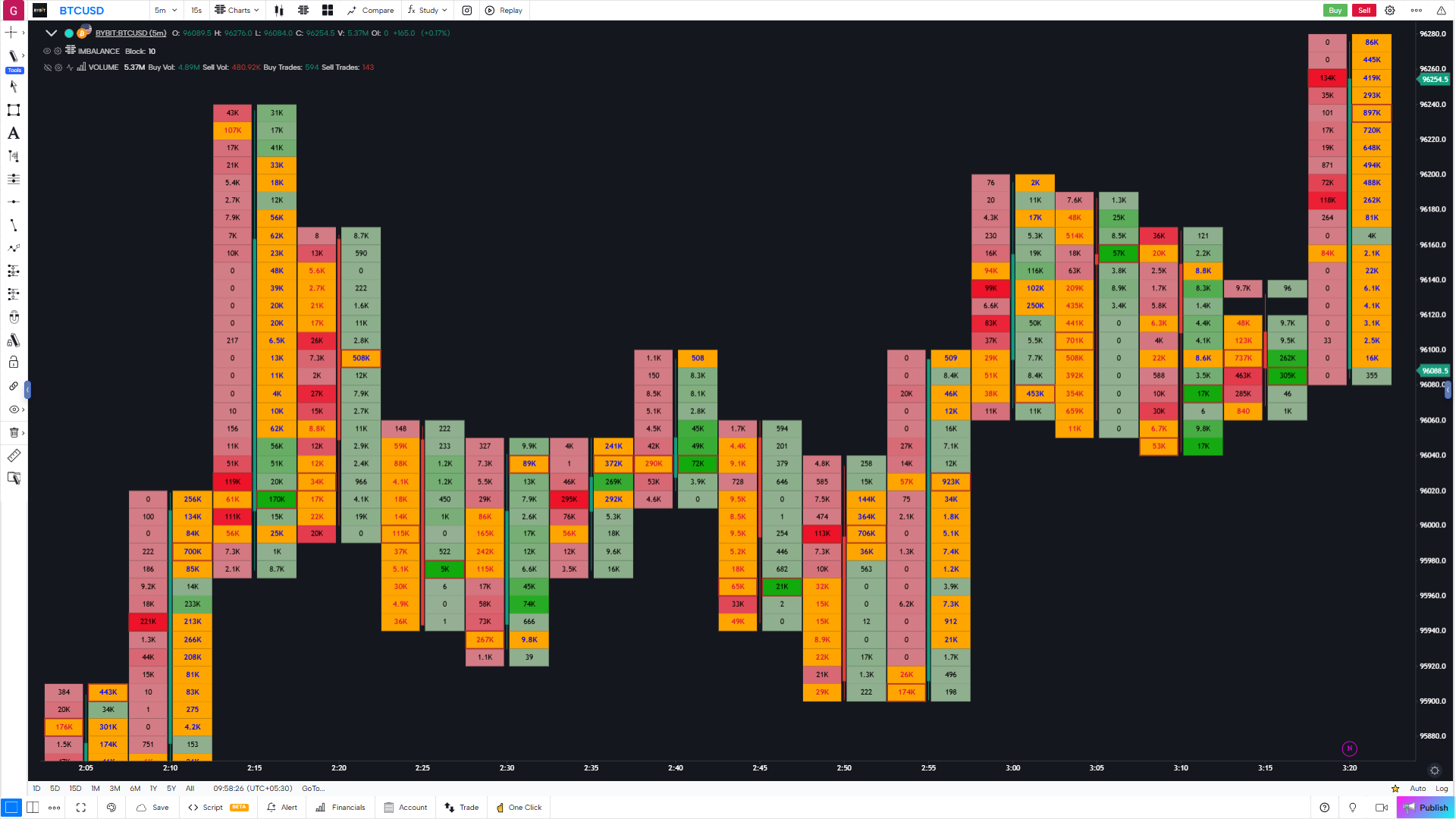
Imbalance Chart
GoCharting provides the set of professional volume tools for analyzing the distribution of the trading volume at each price level, an imbalance between buyers & sellers.
- Automated Resistance and Support
- Analyze market participant behaviour
- Learn the only Zero lag indicator in the world
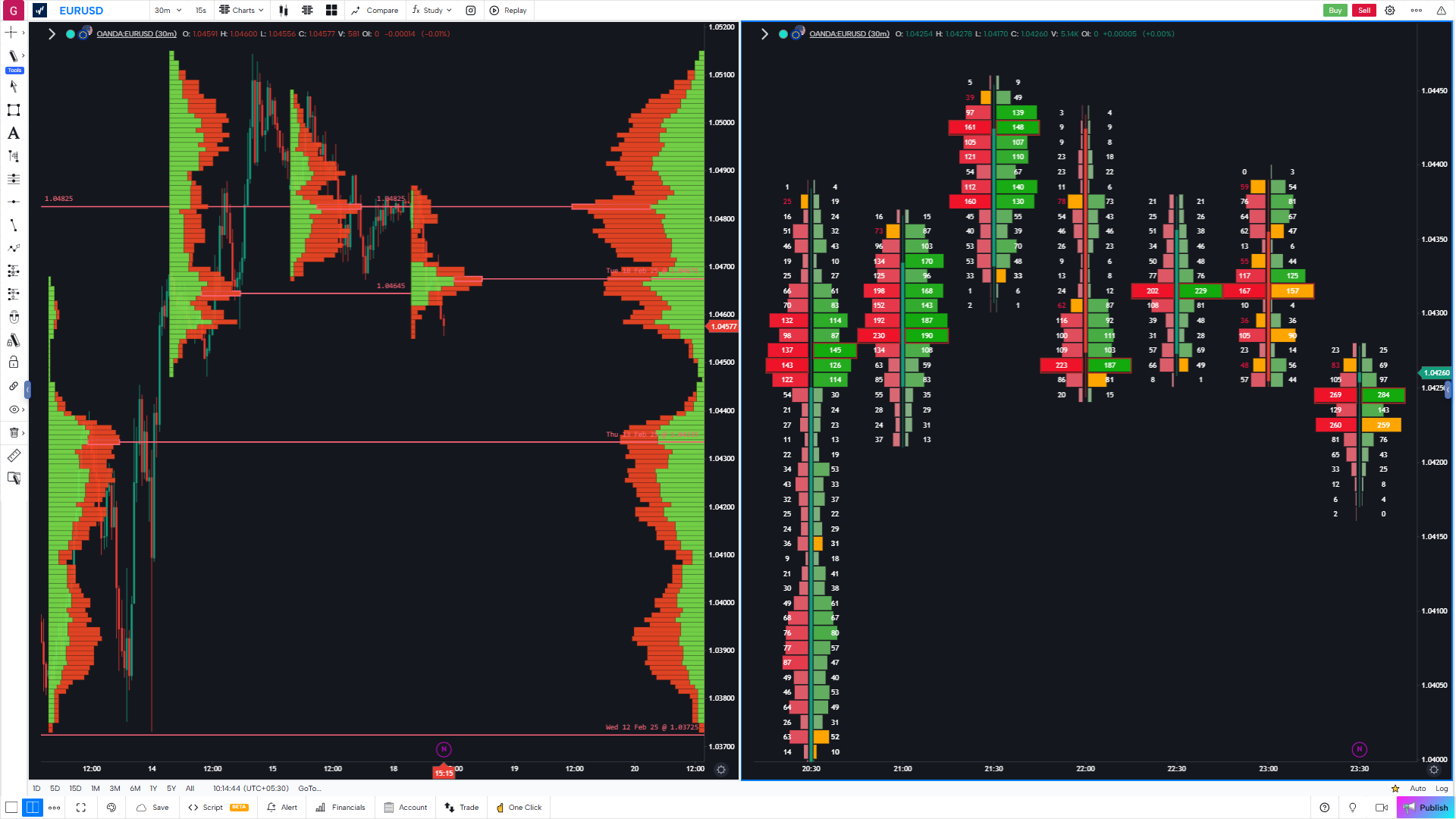
Session, Composite and Fixed Volume Profile
Add volume profile with various time periods, find the point of control (POC) and value area (VA). Visualise where the market spent the most time and traded the most volume — an indispensable tool for any orderflow trader.
- Point of Control (POC) — highest-volume price level for the session
- Value Area High & Low (VAH / VAL) — 70 % of volume range
- Anchor Volume Profile and Sessions Volume Profile
- Fixed Range Profile — draw over any custom bar selection
- Composite Profile — aggregate volume across multiple sessions
- Single Print detection for identifying thin, low-conviction zones
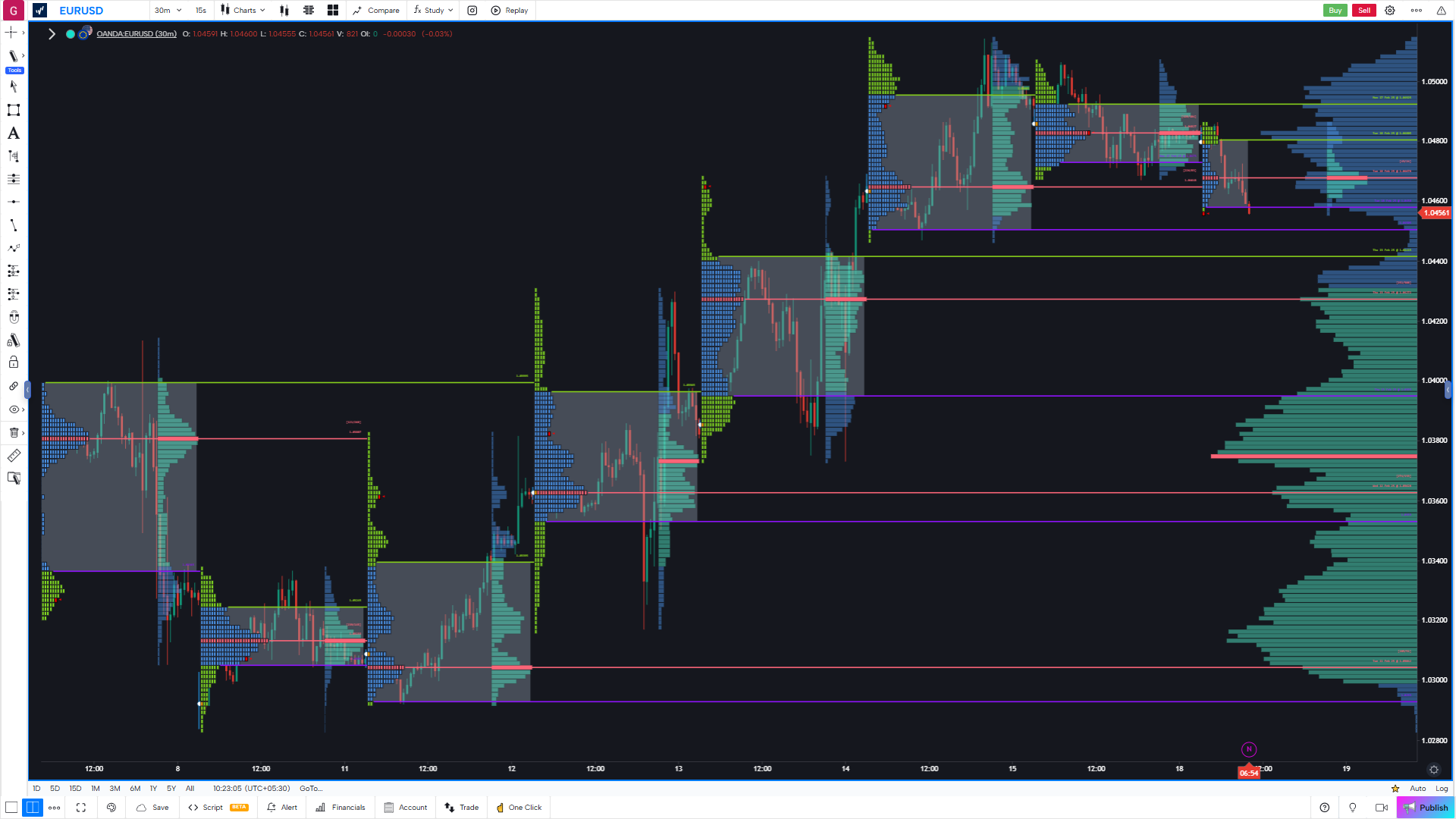
Market Profile aka TPO
Analyze the TPO Profile to understand the price distribution during the day or trading session.
- Crucial SR price levels
- Point of Control, Value Area and Single Prints
- Merge and Unmerge TPO Profiles
Time & Sales & DOM
Use Volume Analysis Tools directly on the order flow chart.
- Historical Time & Sales
- Advanced Depth of Market Panel
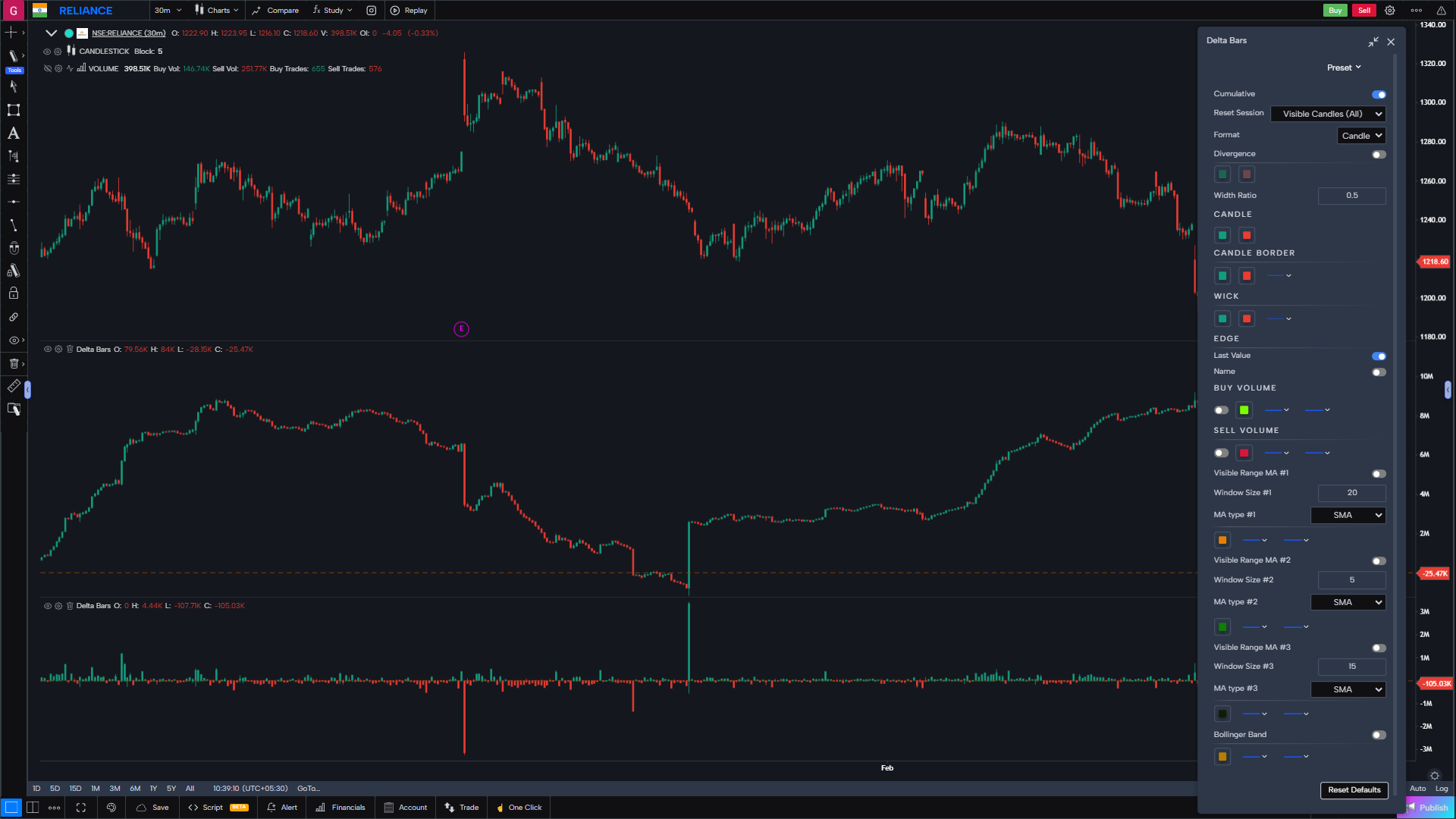
Delta bars and Cumulative Delta Bars
Delta is the net difference between aggressive buying and selling volume inside each bar. Cumulative Delta (CVD) tracks this imbalance over time, exposing hidden conviction and absorption that candlestick charts completely miss.
- Bar Delta — net buy vs. sell volume for every individual bar, colour-coded green / red
- Cumulative Delta (CVD) — running tally that reveals sustained directional pressure
- CVD Divergence — spot when price makes new highs but CVD is declining (and vice versa)
- Delta Exhaustion — detect exhausted moves where delta spikes but price stalls
- Histogram mode overlaid directly beneath each bar for at-a-glance reading
- Alert when bar delta exceeds a custom threshold — catch institutional-size prints
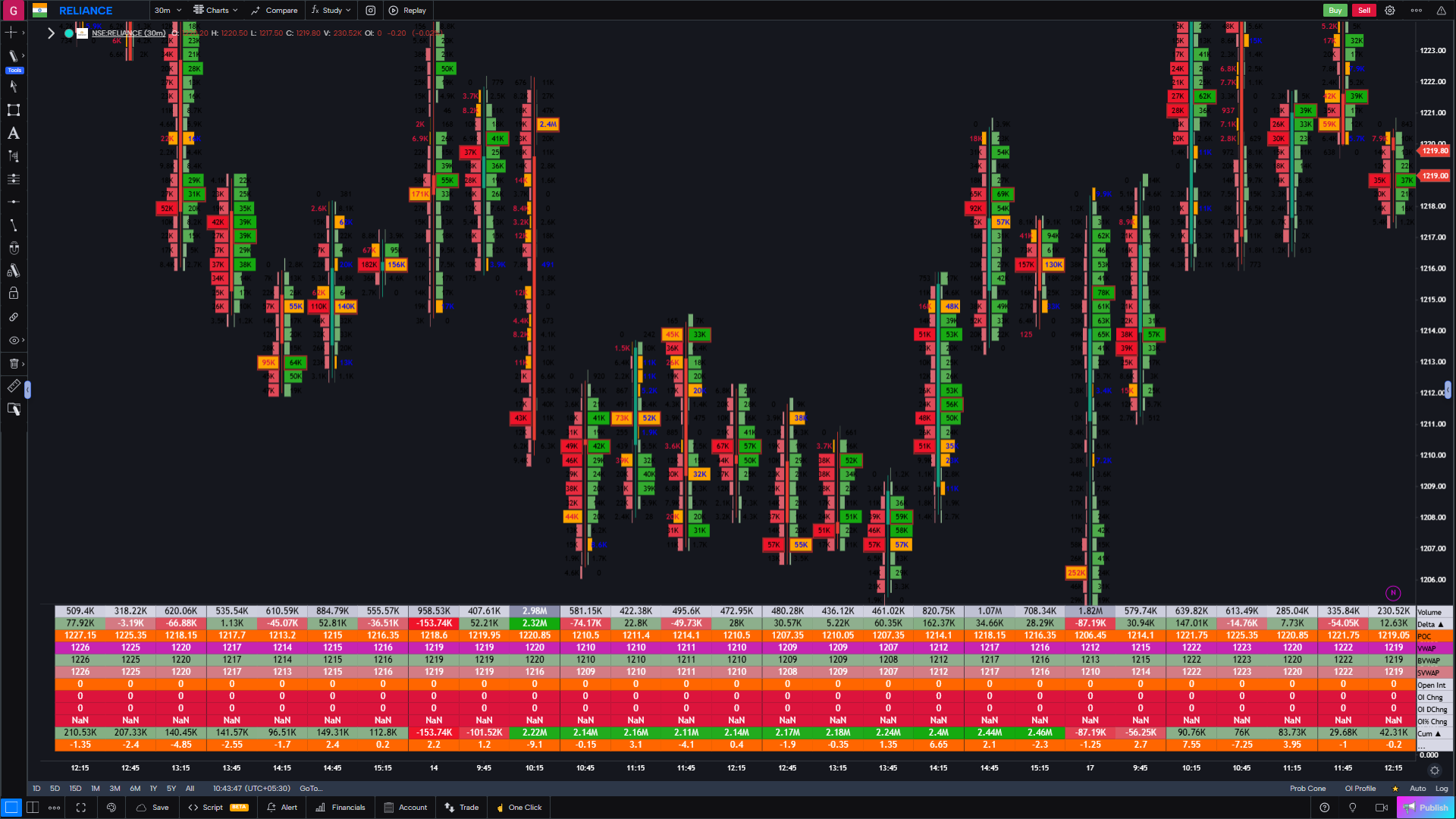
Bar Statistics & Histograms
Every bar carries a wealth of data beyond open, high, low, close. Bar Statistics surfaces that hidden context directly on the chart so you can evaluate conviction, participation and pressure at a glance.
- Volume per bar — total contracts / shares traded in each candle
- Number of Trades — transaction count reveals market participation intensity
- Delta per bar — net buying minus selling for precise imbalance analysis
- Max bid & max ask — largest single-tick size on each side of the tape
- Volume histograms rendered inside each bar for instant visual comparison
- Tooltip drill-down — hover any bar for the full statistical breakdown
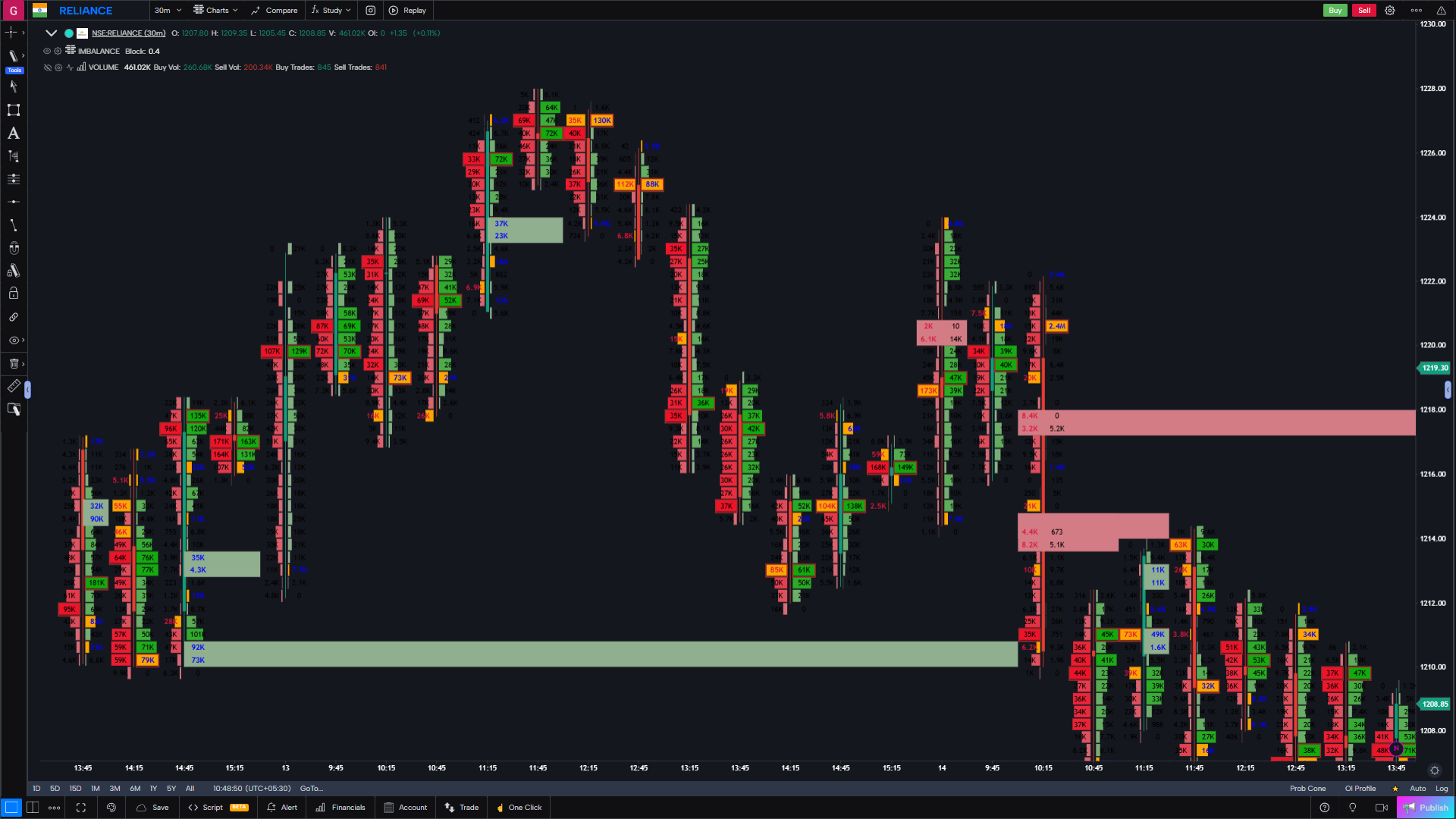
Power Trades and Support/Resistance Lines
Large block trades leave footprints in the market. Power Trades highlights these institutional-size prints directly on the chart while auto-plotting Support and Resistance levels derived from real orderflow imbalances — not arbitrary pivots.
- Power Trade markers — flag every print above your custom size threshold
- Configurable minimum size so you filter noise and see only the moves that matter
- Auto S/R lines — drawn at price levels where persistent imbalances occurred
- Imbalance-based levels update dynamically as new data arrives
- Combine with Footprint and Delta for full-context execution analysis
- Alert on Power Trade detection — never miss a block order again
VWAP, Anchor VWAP and VWAP Bands
VWAP is the institutional benchmark — the price at which the majority of volume transacted. GoCharting gives you every VWAP variant professionals use, anchored exactly where you need them.
- Session VWAP — the classic intraday benchmark, resets at market open
- Anchor VWAP — pin VWAP to any bar: earnings, highs, lows or key events
- Daily / Weekly / Monthly VWAP overlays on a single chart simultaneously
- Standard Deviation Bands (1σ, 2σ, 3σ) to define fair-value ranges
- Volume-weighted Value Area High & Low rendered alongside VWAP
- Multi-VWAP confluence zones — see where institutional cost basis clusters
Frequently Asked Questions
Order flow charting visualizes the real buying and selling activity behind every price move. Footprint (cluster) charts open each candle to show traded bid × ask volume at every price level, so you can see whether aggressive buyers or sellers are in control instead of just open, high, low and close.
Yes. Footprint, Delta, DOM and Volume Profile update in real time from live tick data across crypto, CME futures and NSE, with historical tick data available for backtesting and Bar Replay.
Footprint / Cluster charts, Imbalance charts, Session / Composite / Fixed Volume Profile, Market Profile (TPO), Delta and Cumulative Delta (CVD), VWAP with Anchor VWAP and standard deviation bands, Bar Statistics, Power Trades and a full Depth of Market with Time & Sales.
Yes. Order flow tools work across crypto (Binance, Bybit, Coinbase), CME and MCX futures, NSE equities and F&O, forex and indices — anywhere real tick data is available.
Core order flow tools including Footprint charts, Delta and Volume Profile are free to use. Advanced real-time data feeds and premium features are available on paid plans.
See Every Trade. Spot Every Opportunity.
Real-time Footprint charts, Delta, Volume Profile and Imbalance detection — live across crypto, CME futures and NSE. Start free.